FaxToFax MCP server: let AI agents send and receive faxes
Connect Claude, Cursor or any MCP-capable AI assistant to your FaxToFax account. Ask it to fax a document, and it sends from your own number, confirms delivery, and watches your inbox — with every action in your audit log and a key you can revoke any time.
See the MCP setup, start to finish
Creating an API key, connecting Claude, and watching an agent send a fax, check delivery and read the inbox.
Chapters
- 0:00 Introduction
- 0:22 Why agents need a fax line
- 0:50 Plan, number and API key
- 1:34 Connect your assistant
- 2:10 An agent sends a fax
- 2:51 Watching the inbox
- 3:15 Security and control
- 3:57 Get started
Your AI assistant, with a real fax line
Faxes on your say-so
Tell your assistant to fax a document and it sends from your own FaxToFax number, cover page and letterhead included.
Confirms delivery
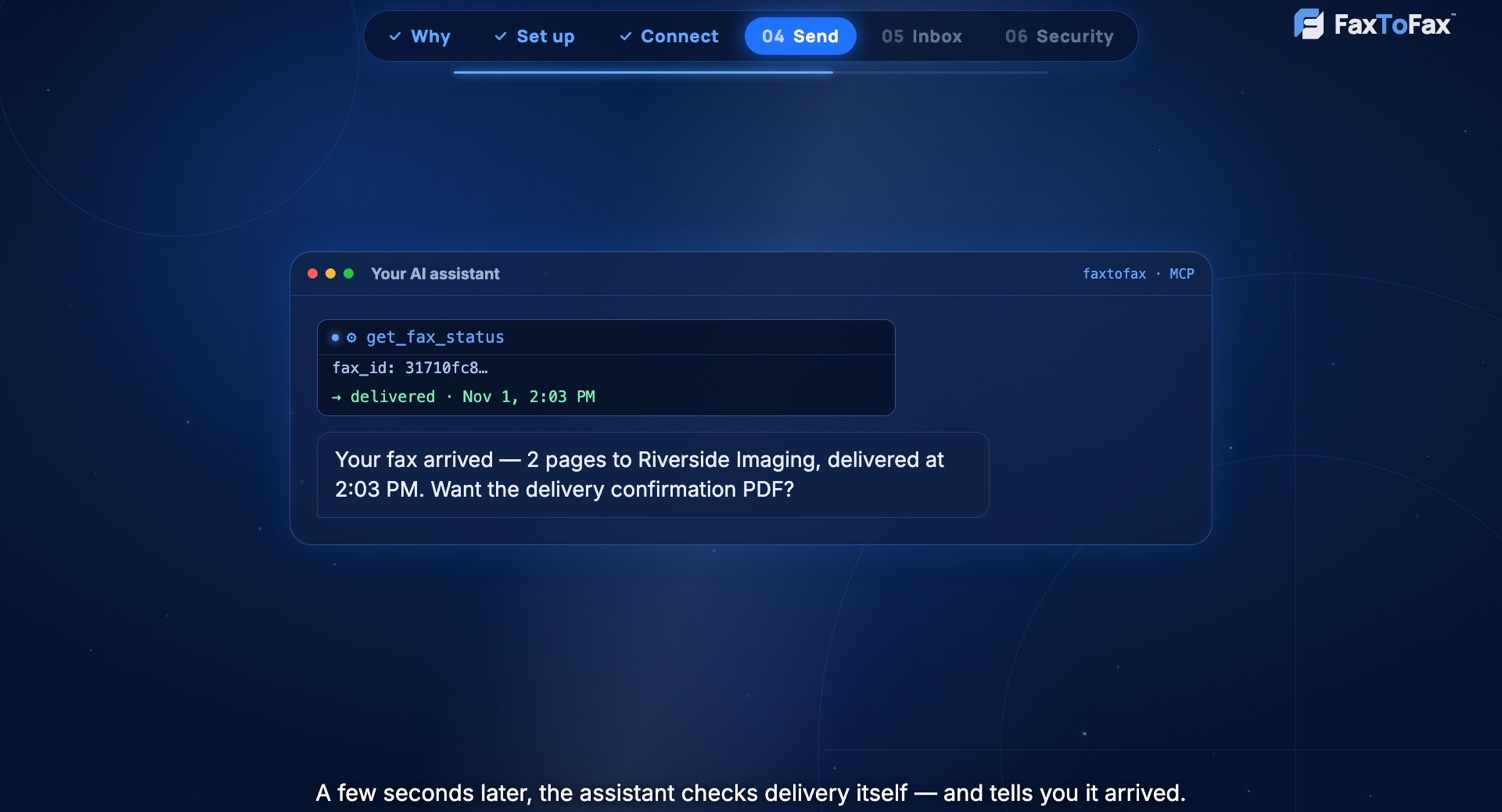
Agents check delivery themselves and report back, and the delivery confirmation is saved with the fax as always.
Watches your inbox
Ask “did the signed form arrive?” — an agent can list received faxes and read them, within the access you gave it.
A key, not a password
You create a revocable API key; your sign-in stays yours. The key acts with your role and your numbers, nothing more.
Everything audited
Every fax an agent sends, reads or downloads is in the audit log, marked as that key.
Fits your team
Keys are created by owners and admins. A key can never do more than the person who made it.
How to connect an AI agent in 7 steps
Setup takes about five minutes. You need a FaxToFax monthly plan and an AI assistant that supports MCP servers.
- 1
Choose a monthly plan
Pick the Personal or Business plan and your own fax number (local or toll-free). AI agents send and receive on your account’s number, so the integration comes with the monthly plans.
- 2
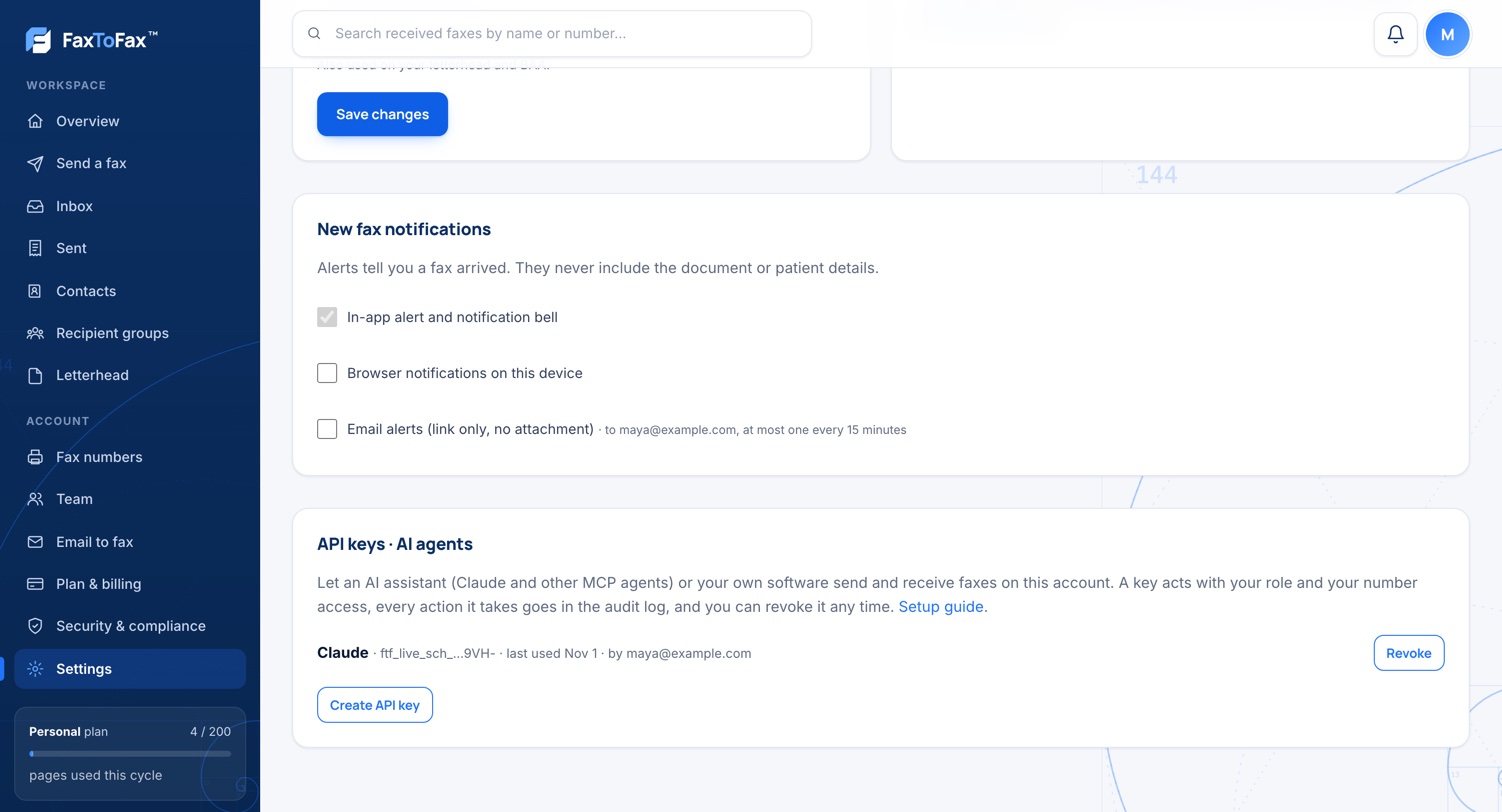
Create an API key
Sign in at faxtofax.com as the account owner or an admin, go to Settings → API keys and click Create API key. Name it after your assistant, like “Claude”.
- 3
Copy the key
The key (it starts with ftf_live_) is shown once. Copy it right away — FaxToFax keeps only a fingerprint of it, never the key itself.
- 4
Add FaxToFax to your AI assistant
Paste the server address https://faxtofax.com/api/mcp and your key into your assistant’s MCP settings. The exact snippets for Claude Code, Cursor and others are below.
- 5
Ask it to send a fax
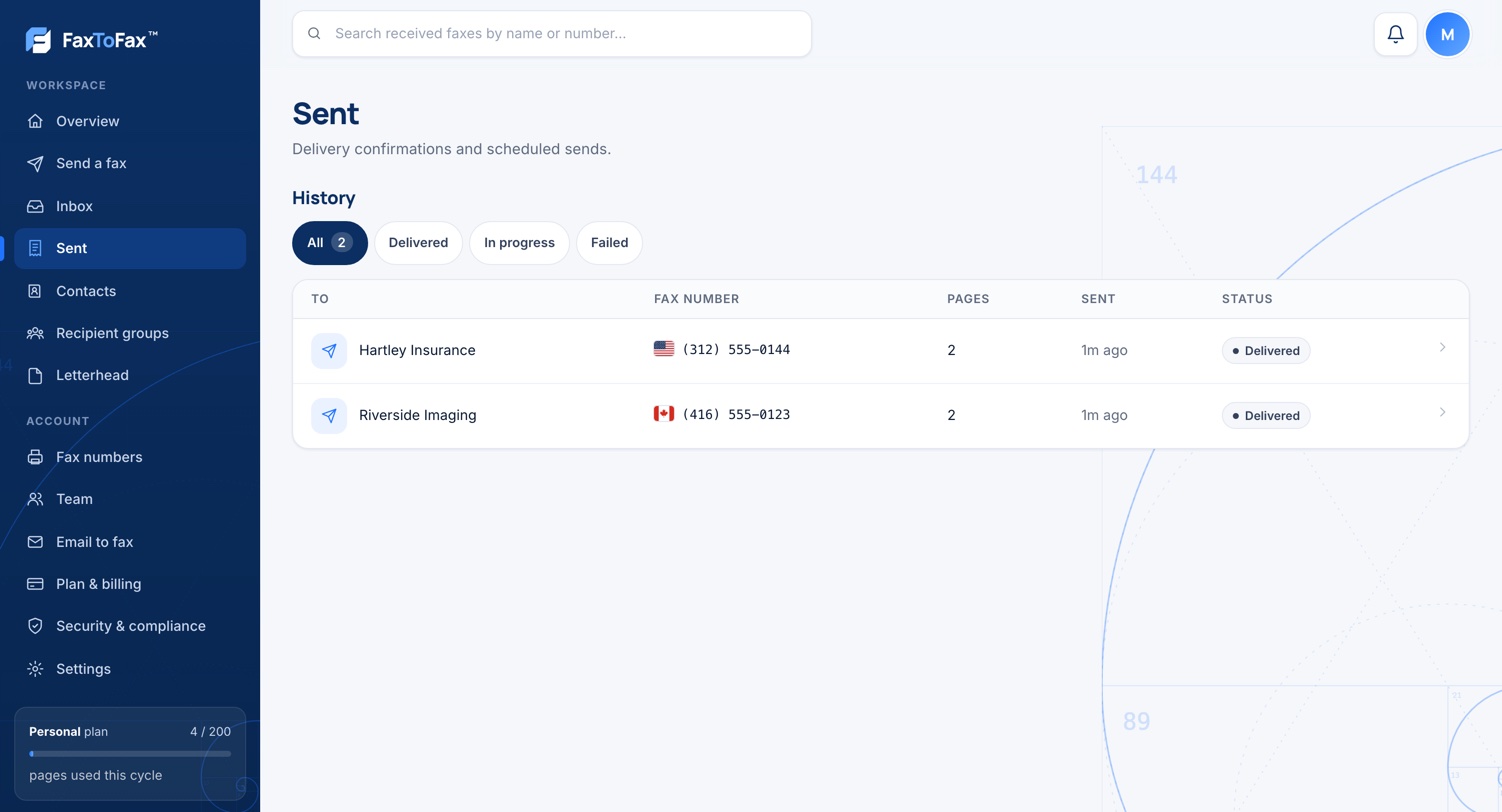
Try: “Fax this referral to Dr. Chen at +1 416 555 0123.” The assistant checks the number with you, sends the fax, and tells you when it’s delivered.
- 6
See it in FaxToFax
Every fax an agent sends appears in your Sent list with its delivery confirmation, and in the audit log, exactly like one you sent yourself.
- 7
Revoke whenever you like
Back in Settings → API keys, one click on Revoke cuts the assistant off immediately. Nothing already sent or received is affected.
Add FaxToFax to Claude, Cursor and others
The server address is always the same: https://faxtofax.com/api/mcp, with your key in the Authorization header.
Claude Code (one command)
claude mcp add --transport http faxtofax https://faxtofax.com/api/mcp \
  --header "Authorization: Bearer ftf_live_YOUR_KEY"
Cursor, VS Code, Zed and most other MCP clients (mcp.json)
{
  "mcpServers": {
    "faxtofax": {
      "url": "https://faxtofax.com/api/mcp",
      "headers": { "Authorization": "Bearer ftf_live_YOUR_KEY" }
    }
  }
}
Your own agents (Claude API, or any framework with MCP support) connect the same way: streamable HTTP, one header. Claude.ai’s connectors directory needs OAuth sign-in, which is coming — the key-based setup above works today.
Try asking
“Fax this PDF to Dr. Chen at +1 416 555 0123 with a cover note
saying the signed consent form is attached, and tell me once
it’s delivered.”
Six tools, and nothing else
An agent can fax and read faxes. It can’t change settings, touch billing or delete anything — those aren’t in the toolbox.
send_fax
Sends one fax: a PDF, PNG or JPG up to 10 MB, plain text laid out on pages, or just a cover note. Up to 200 pages.
get_fax_status
Whether a fax is queued, sending, delivered or failed — with the reason when it fails.
list_faxes
Recent sent and received faxes, searchable by name, number or subject.
get_fax_document
The PDF of a sent or received fax. Each fetch is recorded in the audit log, like any download.
list_numbers
The fax numbers the key may send from and receive on.
get_usage
Plan pages used and left this month, so an agent stays inside your plan.
Built so you stay in control
An AI assistant gets a narrow, revocable credential — never your sign-in.
Keys, hashed, shown once
FaxToFax stores only a fingerprint of each key. If a key leaks, revoke it in one click; your account sign-in is untouched.
Acts as its creator
A key carries the creating person’s role and number access, re-checked on every call. Remove or disable that person and their keys stop too.
Every action audited
Sends, reads and downloads by agents are in the same exportable audit log as everything else, marked per key.
Narrow on purpose
No settings, billing, team or deletion tools exist on the MCP server. Scopes can narrow a key further, to read-only for example.
Encrypted
Faxes are encrypted at rest, served over TLS, and never emailed. Document content never appears in logs.
BAA available
The Business plan includes a HIPAA business associate agreement for medical records work.
More in the Trust Center.
What people have their agents do
- Medical and dental offices: “fax this referral to the specialist and tell me when it’s delivered”
- Law firms: records requests and letters faxed from a draft, with the delivery confirmation filed
- Clinics and labs: an agent that watches the inbox and flags the signed requisition the moment it arrives
- Accountants and agencies: forms to government offices that still want fax, sent without leaving the chat
- Developers: faxing wired into internal tools and workflows through one endpoint, no fax hardware
AI agents and faxing: common questions
MCP (Model Context Protocol) is the standard way AI assistants connect to outside services. Adding FaxToFax as an MCP server gives your assistant a small set of fax “tools” — send a fax, check delivery, read the inbox — that it can use on your account, with your permission.
Any that support MCP servers over HTTP with an API key: Claude Code, Cursor, VS Code, Zed, and agents your own developers build on the Claude API or other agent frameworks, including ChatGPT’s developer mode. Support for the Claude.ai connectors directory is coming.
Yes. Ask your assistant in plain words — “fax this PDF to +1 212 555 0188” — and it sends the fax from your FaxToFax number, then checks delivery for you. The fax goes out with your letterhead and cover page, like any other.
The key you create acts as you: your role, your fax numbers, nothing more. It can’t change settings, touch billing, invite people or delete anything. Every fax it sends or reads is in your audit log marked as that key, and you can revoke the key in one click.
Yes — that’s how “tell me when the signed form arrives” works. An agent can list faxes and read their PDFs with the same limits as the person who created the key, and organizations can restrict document downloads to owners and admins, which then applies to keys too.
Yes. The MCP integration is included with the monthly Personal and Business plans, because your account needs its own fax number and plan pages. It isn’t available with one-time faxes.
No. It’s included with your monthly plan. Pages an agent sends and receives count toward your plan like any others.
Six things: send a fax, check a fax’s status, list sent and received faxes, fetch a fax’s PDF, list your fax numbers, and check your plan usage. Nothing else — no settings, no billing, no deleting.
A PDF, PNG or JPG up to 10 MB, or plain text that FaxToFax lays out on pages for it, up to 200 pages per fax. It can add a cover note on your letterhead too.
Each API key can send up to 30 faxes an hour, and everything stays inside your plan’s monthly pages. That keeps a misbehaving script from burning through your plan.
FaxToFax is built for regulated work: encrypted storage, an audit log that records every agent action, roles, and automatic sign-out for people. The Business plan includes a signed HIPAA business associate agreement (BAA). Whether an AI assistant may handle your PHI is your compliance call — the key and audit controls are there for it.
Revoke the key under Settings → API keys. The assistant loses access immediately. Removing the person who created a key, or disabling them, ends their keys too.
Account owners and admins, on an account with an active monthly plan. Each key shows who created it and when it was last used.
Yes. The MCP endpoint is plain JSON-RPC over HTTPS, so scripts and integrations can call the same six tools with the same key — no SDK needed.
Keys stop sending (reading still needs a valid key on an open account). Pick the plan back up and the same keys work again — assistants don’t need to be reconnected.
No. Your documents are your own: encrypted at rest, never used to train anything, and never shared with the AI assistant beyond what your key allows it to read.
Give your AI assistant a fax line.
Get your own fax number on a monthly plan, create an API key in Settings, and your agent is sending faxes five minutes from now.
The MCP integration is included with monthly plans at no extra charge. Questions? Contact us.